Ultimate Nitro Type Finger Fatigue Index 2026 – Boost Typing Endurance Fast
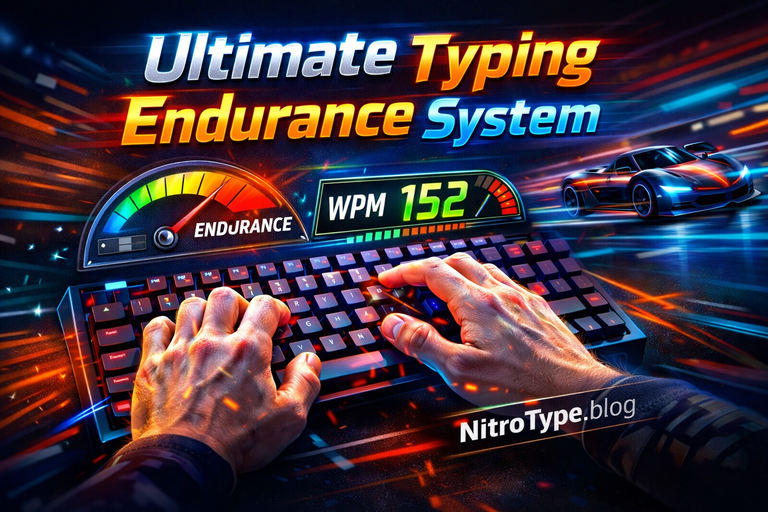
Typing faster in Nitro Type isn’t just about raw WPM—it’s about endurance, consistency, and preventing finger fatigue. In 2026, competitive players are realizing that micro-strain, repeated errors, and inefficient technique quietly drain speed and accuracy over long sessions.
The Nitro Type Finger Fatigue Index 2026 is a practical, data-driven framework to understand, measure, and reduce typing fatigue—helping racers maintain peak performance through smarter technique, recovery, and system optimization.
Table of Contents
What Is the Nitro Type Finger Fatigue Index?
The Nitro Type Finger Fatigue Index measures the physical and cognitive strain your fingers experience during extended racing sessions. Unlike WPM or accuracy alone, it reveals when endurance begins to decline—often before players consciously feel tired.
This index tracks how micro-fatigue builds over time due to inefficient keystrokes, repeated corrections, and subtle finger tension. Even when speed looks stable initially, these factors compound, eventually reducing accuracy and sustained WPM. Understanding your personal fatigue pattern allows smarter training, pacing, and recovery decisions.
How Finger Fatigue Builds During Nitro Type Races
Finger fatigue develops through a mix of biomechanical stress, repetitive micro-movements, and cognitive load. These forces quietly accumulate during competitive play.
Key Causes of Finger Fatigue
- Micro-Tension in Repeated Keystrokes: Continuous tapping keeps finger muscles under constant tension.
- Backspace and Correction Strain: Each correction adds abrupt, unnatural movement.
- High-Speed Bursts vs Sustained Typing: Short speed spikes drain stamina faster than controlled pacing.
Efficient finger movement dramatically delays fatigue. Racers who train proper movement patterns experience less strain, which is why structured typing muscle memory training is one of the most effective long-term endurance solutions.
The Hidden Relationship Between Errors and Finger Fatigue
Errors don’t just lower your score—they actively increase fatigue. Every mistake triggers extra movement and mental strain, quietly sapping endurance and breaking typing rhythm.
Why Errors Multiply Fatigue
- Backspacing: Abrupt finger motion disrupts flow.
- Cognitive Load: Real-time correction increases hand and forearm tension.
- Error Clusters: Mistakes often surge late in races when fatigue peaks.
Advanced players reduce fatigue by correcting mistakes efficiently instead of panic-typing. Mastering Nitro Type error recovery mechanics helps preserve endurance while maintaining accuracy.
Measuring Finger Fatigue — Practical Index Signals
You don’t need lab equipment to track finger fatigue. Players can identify fatigue using observable in-game and physical indicators.
Key Fatigue Indicators
- WPM Decay: Gradual speed drop across multiple races.
- Accuracy Drift: Increasing typos, especially late in sessions.
- Reaction Lag: Hesitation or delayed keystrokes.
- Physical Feedback: Stiffness, soreness, or tingling rated on a personal 0–10 scale.
Tracking these patterns helps players adjust session length, rest timing, and intensity before fatigue hurts performance.
Hardware, Latency, and Their Role in Fatigue Accumulation
Your setup can either protect or punish your fingers. Keyboard resistance, system delay, and network latency directly influence physical strain during Nitro Type races.
How Latency and Input Devices Affect Fatigue
- Key Resistance: Stiffer switches require more force per press.
- System Delay: Lag forces racers to press harder or longer.
- Latency Compensation: Repeated taps increase strain when inputs feel delayed.
Reducing even minor input delay lowers finger stress significantly. Proper Nitro Type latency optimization preserves endurance during extended competitive sessions.
Medical Perspective — When Fatigue Becomes a Risk
Ignoring fatigue can lead to real physical consequences. Prolonged strain can escalate into repetitive strain injury (RSI), affecting finger control, coordination, and long-term hand health.
Real-World Risks
- Persistent soreness or stiffness
- Reduced fine motor control
- Pain spreading to wrists or forearms
According to the NHS guide on repetitive strain injury (RSI), repeated hand movements without adequate recovery can gradually impair performance—making recovery strategies essential for serious Nitro Type racers.
Recovery Strategies That Actually Restore Typing Endurance
Real recovery goes beyond simply stopping play. Evidence-based techniques improve both endurance and long-term WPM stability.
Practical Recovery Techniques
- Active Recovery: Light finger stretches and slow drills between races.
- Micro-Break Timing: Short breaks every 15–20 minutes.
- Hand Mobility Resets: Wrist rotations and finger extensions.
- Session Length Control: Avoid marathon sessions beyond your endurance limit.
Finger Fatigue vs Speed Obsession — Finding the Balance
Maximum speed isn’t always maximum performance. Long-term consistency often beats extreme speed in competitive Nitro Type play.
Strategies for Sustainable Performance
- Identify your sustainable WPM
- Combine short speed sprints with recovery
- Adjust pacing for long sessions and tournaments
Future of Typing Endurance Metrics in Nitro Type (2026+)
Endurance tracking is evolving with technology.
Upcoming Innovations
- AI-based fatigue prediction
- Adaptive pacing suggestions
- Personalized endurance coaching
- Health-performance integration
These tools aim to improve results while reducing long-term strain.
FAQs — Nitro Type Finger Fatigue Index 2026
Q1: What is a good finger fatigue score?
Minimal WPM decay across long sessions indicates low fatigue. Track patterns over time to find your threshold.
Q2: How long should Nitro Type sessions last?
30–60 minutes with regular breaks is ideal for most players.
Q3: Can fatigue reduce accuracy without pain?
Yes. Cognitive strain and micro-fatigue often cause errors before pain appears.
Q4: Is finger fatigue reversible?
Absolutely. Recovery, mobility exercises, and better technique restore endurance.
Q5: Do faster typists fatigue quicker?
Often yes—extreme speed increases strain. Efficiency matters more than raw WPM.
Final Takeaway — Racing Faster by Typing Smarter
In 2026 Nitro Type, mastering the Finger Fatigue Index is just as important as mastering speed. Long-term success depends on efficiency, recovery, and consistency, not reckless WPM chasing.
By measuring fatigue, optimizing hardware, improving muscle memory, and respecting recovery, racers can maintain peak performance across sessions. In Nitro Type, typing smarter always beats typing faster.

Hi, I’m Kamran Khatri, the author behind NitroType.blog. I share typing speed tips, Nitro Type updates, gaming tricks, and productivity hacks to help you type faster and smarter. My goal is to make typing fun while helping you improve your skills like a pro. If you’re passionate about typing or want to level up your Nitro Type game, you’re in the right place!