Nitro Type Input Lag Myth Busted: Why Your Typing Speed Isn’t Limited by the Game
Many Nitro Type racers eventually feel like their progress stalls and often blame it on input lag. When your car suddenly slows or your rhythm breaks, it’s easy to assume the game didn’t register your keystrokes correctly. But is Nitro Type truly limiting your speed, or could other factors be influencing your performance behind the scenes?
This detailed guide clears up the Nitro Type input lag myth once and for all. You’ll learn what input lag actually is, why it can seem real—especially for faster typists—what genuinely impacts typing performance, and how experienced racers overcome the “lag feeling” without pointing fingers at the game itself.
Table of Contents
What Players Mean When They Say “Nitro Type Input Lag”
Is Nitro Type actually delaying your keystrokes, or are you experiencing something else?
When players complain about input lag, they’re usually describing a feeling—a sense that typing speed and on-screen response are out of sync. This section clarifies what racers mean by lag and why perception often differs from reality.
Most Nitro Type players use “input lag” as a catch-all phrase. It can mean:
- The car appears to slow suddenly
- Letters feel like they register late
- A mistake causes a noticeable rhythm break
In reality, these sensations are rarely caused by the game engine. According to publicly available information about Nitro Type, it’s a browser-based typing game that reacts to real-time keystrokes without speed caps. What racers experience is usually visual delay, mental hesitation, or correction slowdown—not actual keystroke delay.
Perceived Delay vs. Actual Keystroke Registration
True input lag means your keyboard sends a signal, but the system processes it late. In Nitro Type, keystrokes are event-driven and processed instantly. What changes is how quickly your brain, fingers, and eyes stay in sync—especially under pressure.
The Biggest Input Lag Myth: “The Game Is Holding Me Back”
Does Nitro Type secretly cap your WPM or slow inputs?
No. This myth persists because speed loss feels external, even when it’s internal. Let’s break down why the game itself isn’t the bottleneck.
Nitro Type does not:
- Throttle fast typists
- Delay keystrokes intentionally
- Penalize high WPM players with lag
Instead, your displayed speed is a direct reflection of clean, uninterrupted typing. The faster you type, the more noticeable every tiny disruption becomes.
Why Browser Typing Games Don’t Throttle Speed
Unlike video games that rely on frame rates or server ticks, typing games react instantly to keyboard events. If the game were limiting speed, top leaderboard players would all plateau—which clearly isn’t happening.
The Real Causes Mistaken for Nitro Type Input Lag
If it’s not the game, what actually causes the slowdown?
This is where most racers have their “aha” moment. The feeling of lag usually comes from accuracy loss, hesitation, and recovery delays—not delayed input.
Accuracy Loss Feels Like Lag
Accuracy training is like installing safety rails: it reduces the chance of crashing. When you mistype even a single character, your brain pauses to fix it. That pause feels like lag, but it’s actually correction time.
Racers who struggle with frequent slowdowns often benefit more from precision work than speed grinding. That’s why many advanced players revisit fundamentals explained in Why Accuracy Matters More Than Speed in Nitro Type to rebuild consistency.
Error Recovery Creates Hidden Slowdowns
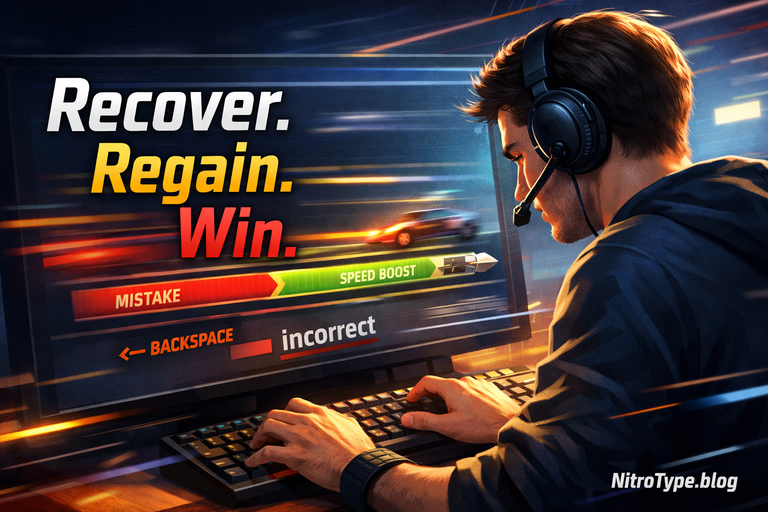
Error recovery is the emergency brake and steering system of typing. Weak recovery habits cause momentary freezes that feel like delayed input. In reality, the slowdown happens because your fingers and brain desynchronize.
Learning how elite racers recover instantly—without breaking rhythm—is covered in Nitro Type Error Recovery Mechanics, and it’s one of the fastest ways to eliminate the “lag feeling.”
Hardware and Environment: Where Real Delay Can Happen
Can your setup cause delay?
Yes—but this isn’t Nitro Type limiting you. It’s your environment.
True delay can come from:
- Low-quality or worn keyboards
- Heavy browser load
- Background system processes
This is real latency, not game-side lag.
Keyboard, Browser, and System Performance
Mechanical issues don’t stop keystrokes—but they can affect consistency. That’s why racers who optimize their setup often see smoother races even at the same WPM.
Step-by-step fixes for real-world responsiveness issues are explained in Nitro Type Latency & Hardware Optimization Guide, which focuses on eliminating actual delay sources without chasing myths.
Why Fast Typists Feel “Lag” More Than Average Players
Why does the problem appear only as you improve?
Ironically, the better you get, the more sensitive you become to disruptions.
Fast typists:
- Rely heavily on rhythm
- Notice micro-pauses instantly
- Feel every mistake amplified
Rhythm Breaks and Mental Desynchronization
At high speeds, your fingers move faster than conscious thought. When a mistake occurs, your brain briefly regains control to correct it—and that mental shift feels like lag.
Average players don’t notice this because their rhythm is already slower.
How to Test Whether You’re Experiencing Real Input Lag
Is the lag real or perceived?
You can find out in minutes.
Simple Tests Any Racer Can Run
- Accuracy-only test: Slow down intentionally and type perfectly. If “lag” disappears, it wasn’t lag.
- Browser test: Switch browsers and run the same race.
- Offline comparison: Type in an offline editor. If speed feels identical, Nitro Type isn’t limiting you.
These tests almost always point back to typing mechanics—not the game.
How Top Racers Eliminate the “Lag Feeling” Completely
What do elite players do differently?
They don’t chase speed blindly.
Accuracy First, Speed Second
Top racers prioritize clean keystrokes. Fewer mistakes mean fewer rhythm breaks, which removes the illusion of lag entirely.
Recovery Timing Over Raw WPM
Elite players recover instantly without stopping. That skill alone often adds more effective speed than increasing raw WPM.
Future of Input Responsiveness in Browser Typing Games
Will typing games become even more responsive?
Yes—but not because they’re currently slow.
Modern browsers continue to improve input handling, event timing, and rendering efficiency. As these technologies advance, perceived lag will shrink further—but skill will still matter more than software.
FAQs About Nitro Type Input Lag
Is Nitro Type input lag real?
No. Most lag is perceived and caused by mistakes or recovery delays.
Does Nitro Type cap typing speed?
No. There is no WPM limit imposed by the game.
Why does my speed drop suddenly mid-race?
Usually due to an error, hesitation, or rhythm break.
Can hardware affect Nitro Type performance?
Yes, but that’s system latency—not game limitation.
Conclusion: The Myth Is Busted
Nitro Type isn’t limiting your speed—your typing mechanics are. What feels like Nitro Type input lag is almost always a mix of accuracy loss, recovery hesitation, and rhythm disruption.
Once you stop blaming the game and start refining precision, recovery, and flow, the “lag” disappears—and your real speed finally shows.
Race smarter, type cleaner, and let your skills—not myths—define your performance 🚀

Hi, I’m Kamran Khatri, the author behind NitroType.blog. I share typing speed tips, Nitro Type updates, gaming tricks, and productivity hacks to help you type faster and smarter. My goal is to make typing fun while helping you improve your skills like a pro. If you’re passionate about typing or want to level up your Nitro Type game, you’re in the right place!